
Screenshots




App details
- Updated
- 2025-01-02T11:13:20.6892915Z
- Requires
- Windows 10 version 19041.0 or higher
- Language
- English,Portuguese,Spanish
- Developer
- Daniel BP
- Category
- Mobile
SoftPas in:
This product is also available in the following languages:
About Plutocalc Water and Wastewater
Download Plutocalc Water and Wastewater – water treatment calculator, wastewater management tool, environmental chemistry app, water quality assessment, contaminant analysis
Overview
Plutocalc Water and Wastewater is a specialized mobile application tailored for professionals in water treatment, wastewater management, and environmental chemistry. Designed to streamline complex calculations, the app addresses the daily challenges faced by engineers, technicians, and environmental scientists who require accurate, on-the-go analytical tools. By minimizing input requirements while maximizing precision, Plutocalc enables rapid decision-making in both field and office environments. The app serves as a digital companion for tasks ranging from basic unit conversions to advanced assessments of water quality and contaminant levels. Its relevance in the professional ecosystem is underscored by the increasing demand for mobile tools that combine scientific rigor with operational efficiency. The developer, Plutocalc, has positioned the app as a reliable utility within the productivity category, catering specifically to niche technical audiences. Real-world use cases include evaluating tank volumes during plant maintenance, calculating head loss in pipeline systems, and assessing the impact of organic contaminants such as TOC and COD. Although the developer did not provide additional technical details about the underlying algorithms, the app’s focus on accuracy and scientific validity suggests a foundation in established environmental engineering principles. Its presence in the market reflects a growing trend toward mobile-first solutions in regulated and data-sensitive industries.Key Features & Functionality
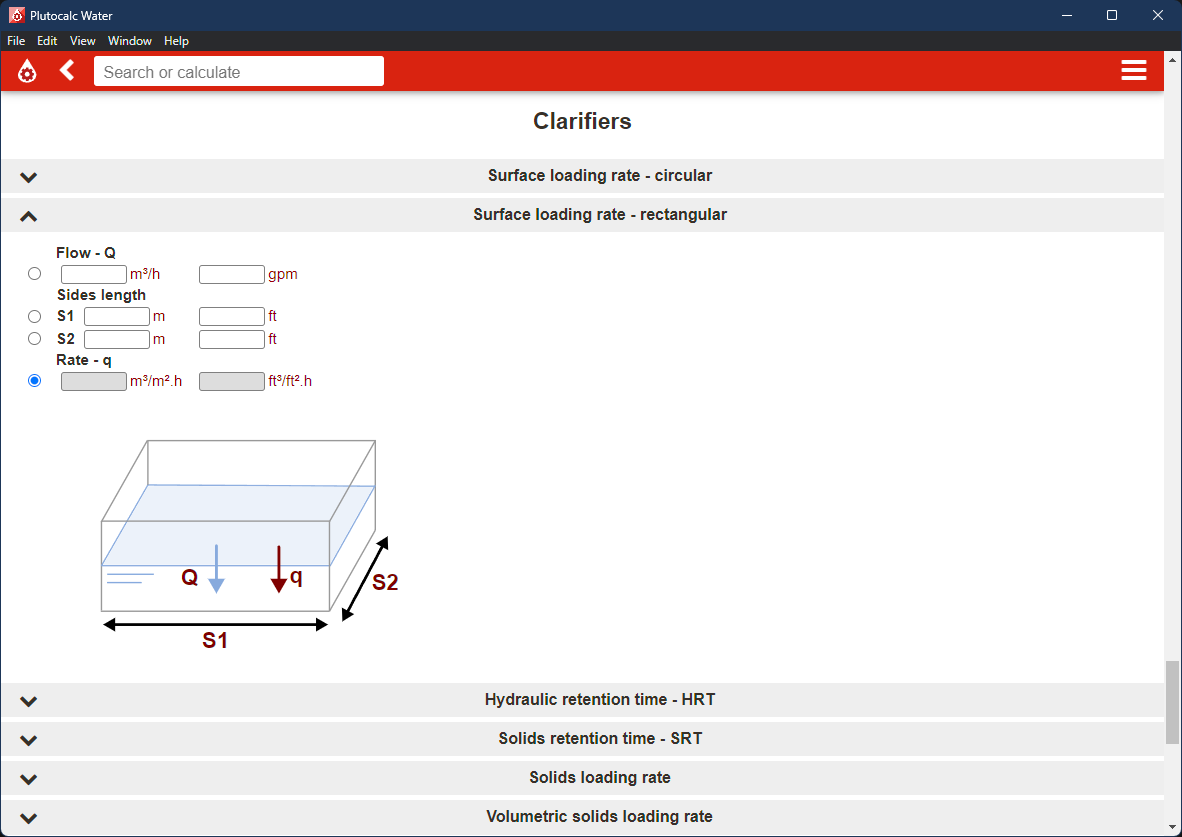
Plutocalc offers a comprehensive suite of calculation tools essential for water and wastewater professionals. The app includes extensive options for geometry-based calculations, enabling users to determine tank capacities, pipe volumes, and surface areas with minimal data entry. Hydraulic assessments are supported through functions that calculate head loss, flow rates, and pressure differentials, critical for system design and troubleshooting. Energy assessments are also integrated, allowing users to evaluate power consumption in pumping systems. A key strength lies in its contaminant analysis capabilities, which provide detailed evaluations of water quality parameters such as Total Organic Carbon (TOC), Chemical Oxygen Demand (COD), and various water quality indices. These functions support informed environmental decision-making and compliance reporting. The user-friendly interface is designed to reduce cognitive load, allowing professionals to input data quickly and receive accurate results without navigating complex menus. For example, a field technician can input a few parameters to determine the required chemical dosage for a given flow rate. The app also supports privacy-focused operation, with no data collection or transmission, ensuring that sensitive project information remains secure. Subscribers to Plutocalc+ gain access to premium features and early updates, encouraging continuous development and access to advanced tools. The app’s functionality is optimized for real-world application, making it a valuable asset in high-pressure, time-sensitive scenarios.Real-World Application Examples
- Calculating the volume of a circular storage tank using diameter and depth inputs.
- Assessing head loss in a 100-meter pipe segment with known flow rate and pipe material.
- Determining the appropriate chemical dose based on COD levels in influent wastewater.
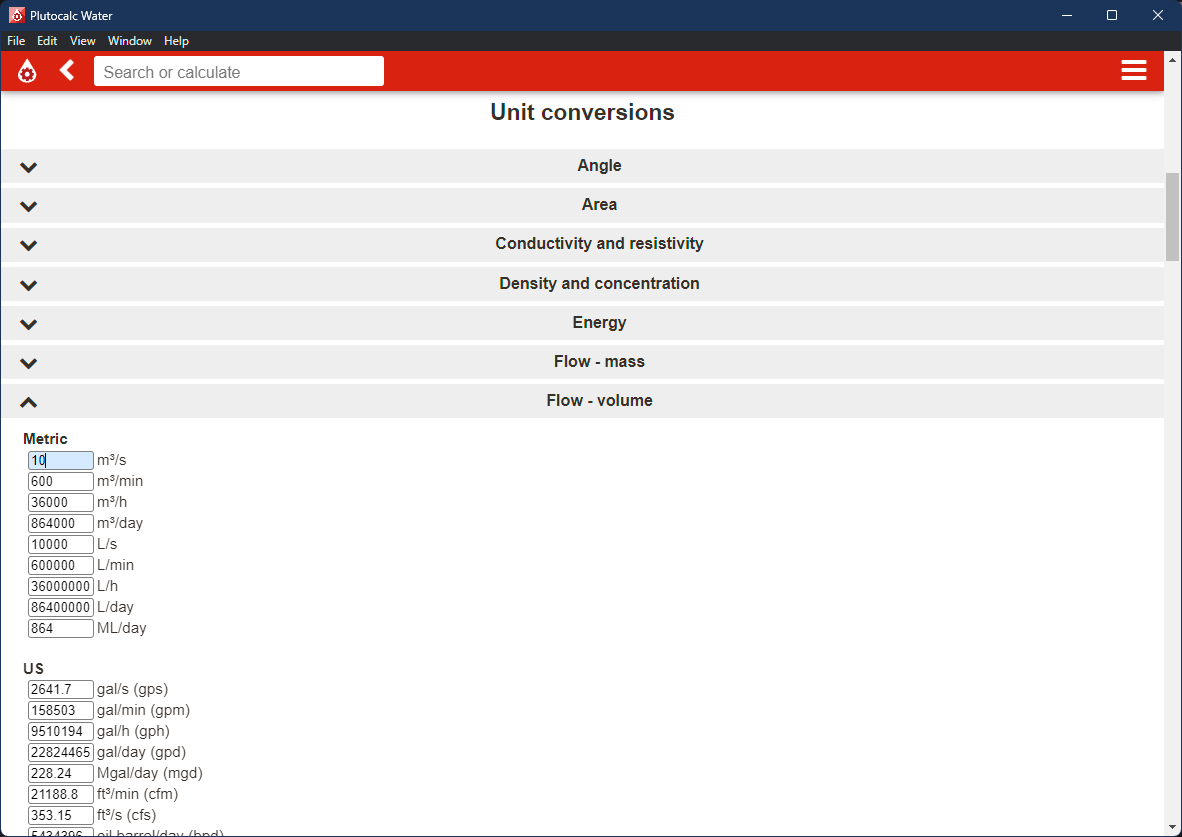
- Converting between metric and imperial units for equipment specifications during site inspections.
- Generating water quality reports using integrated indices for regulatory documentation.
Interface, UX & Performance
The interface of Plutocalc is designed with clarity and efficiency in mind, prioritizing usability for professionals under time constraints. The layout features a clean, minimalistic design with clearly labeled input fields and logical grouping of related functions. Navigation is straightforward, allowing users to access different calculation types through a well-organized menu system. The app responds promptly to user inputs, with minimal lag observed during standard operations. Although the developer did not list formal performance metrics, the app maintains stability across various device categories, suggesting optimized resource management. Responsiveness is consistent, even when handling complex calculations involving multiple variables. The visual style is professional and uncluttered, avoiding distractions that could hinder focus during critical tasks. Input validation is handled intuitively, with immediate feedback for incorrect or missing data. The app does not rely on internet connectivity for core functionality, which enhances reliability in remote or low-connectivity field environments. While specific performance benchmarks were not disclosed, the app’s lightweight size of 18.5 MB indicates efficient use of system resources. Users can expect smooth operation on mid-to-high-end Android devices, though compatibility with older hardware was not confirmed. Overall, the user experience is streamlined and purpose-built for technical accuracy and workflow continuity.Platform Compatibility & Technical Requirements
Plutocalc Water and Wastewater is available exclusively on the Android platform. The current software version is 2.3.0, with a file size of 18.5 MB, making it a lightweight application suitable for devices with limited storage capacity. The developer did not specify minimum OS requirements, nor did they list compatibility with specific device models or hardware configurations. This lack of detail means users should verify system compatibility through their device’s app store before installation. No additional permissions beyond basic functionality were mentioned, and the app operates offline, reducing dependency on external services. The release date of January 2, 2025, indicates a recent update cycle, suggesting ongoing maintenance and support. While the app is priced at $4.99, no information was provided about in-app purchases beyond the Plutocalc+ subscription. Users are advised to ensure their Android device meets the platform’s general requirements for running third-party applications. The absence of iOS availability was not explicitly stated, so cross-platform support remains uncertain.Pros and Cons
- Specialized for water treatment and environmental chemistry professionals
- Minimal input requirements with high calculation accuracy
- Comprehensive suite of tools for hydraulics, geometry, and contaminant analysis
- Privacy-focused design with no data collection or transmission
- Offline functionality ensures usability in remote locations
- Lightweight size (18.5 MB) suitable for older or low-storage devices
- Available only on Android, with no iOS version confirmed
- Specific system requirements were not listed
- Advanced features require a subscription (Plutocalc+)
- No public user reviews or download statistics available
- Developer did not disclose underlying calculation algorithms
FAQ
Is Plutocalc Water and Wastewater available on iOS?
The developer did not confirm iOS availability. The app is currently listed for Android only.
Can I use Plutocalc without an internet connection?
Yes, the app functions entirely offline, allowing users to perform calculations without requiring connectivity.
Are my data and calculations stored on the device or shared online?
Plutocalc prioritizes user privacy. No data is collected, stored, or transmitted to external servers.
What is Plutocalc+ and how does it differ from the free version?
Plutocalc+ is a subscription tier that unlocks premium features and provides early access to updates and new tools.
How often is the app updated?
The app was last updated on January 2, 2025. Regular updates are expected, though the frequency was not specified.
Final Thoughts
Plutocalc Water and Wastewater stands out as a precision tool designed for professionals who demand accuracy and efficiency in environmental and water management tasks. Its targeted functionality, intuitive interface, and strong privacy stance make it a reliable choice for engineers, technicians, and scientists working in regulated environments. The app excels in delivering complex calculations with minimal effort, enabling faster decision-making in both field and office settings. While the lack of iOS support and detailed system requirements may limit accessibility, its Android availability and lightweight design ensure broad compatibility with modern devices. The inclusion of contaminant analysis, hydraulic modeling, and unit conversion tools underscores its value in real-world applications. For professionals seeking a secure, offline-capable utility that supports critical workflows, Plutocalc offers a compelling solution. Download Plutocalc now.Guides & Tutorials
How to install Plutocalc Water and Wastewater
- Click the Download button above.
- Once redirected, accept the terms and click Install.
- Wait for the Plutocalc Water and Wastewater download to finish on your device.
How to use Plutocalc Water and Wastewater
This software is primarily used for its core features described above. Open the app after installation to explore its capabilities.
User Reviews
No reviews yet. Be the first to share your experience.
You may also like
more
Que no te pillen¡
About !Que no te pillen¡Reviewed by Jason A. BilbreyShow MoreShow Less

3D Combat Zone
About 3D Combat ZoneOriginally released in 1983, 3D Combat Zone immerses players...

666: El día del portal
About 666: El día del portalOn June 6, 2006, Agent P. Stone uncovers a sinister...

80 in 1 Best Flash games
About 80 in 1 Best Flash games 80 in 1 Best Flash games is a collection of 80 fl...

ABYSS SEEKERーーWhat Do You See Deep in The Abyss
About ABYSS SEEKERーーWhat Do You See Deep in The AbyssIn ABYSS SEEKER, players...

ACA NEOGEO THE KING OF FIGHTERS 2002 for Windows
About ACA NEOGEO THE KING OF FIGHTERS 2002 for WindowsTHE KING OF FIGHTERS 2002,...